How to Download Instagram Reels (Step-by-Step, Free, No Login)
2026-11-17 · Guides
instagram reels downloaderdownload instagram reelssave reelsinstagram video downloaderdownload reels in HD
Want to save an Instagram reel to watch offline? Finn ReelSave is a free tool to download public Instagram reels, photos and videos without login.
How to download an Instagram reel:
1. Copy the link — open Instagram, tap Share on a public reel, and copy its link. 2. Paste it here — open Finn ReelSave, paste the link into the box, and tap Download. 3. Save in HD — pick the video quality and save it to your device. Watch it offline anytime.
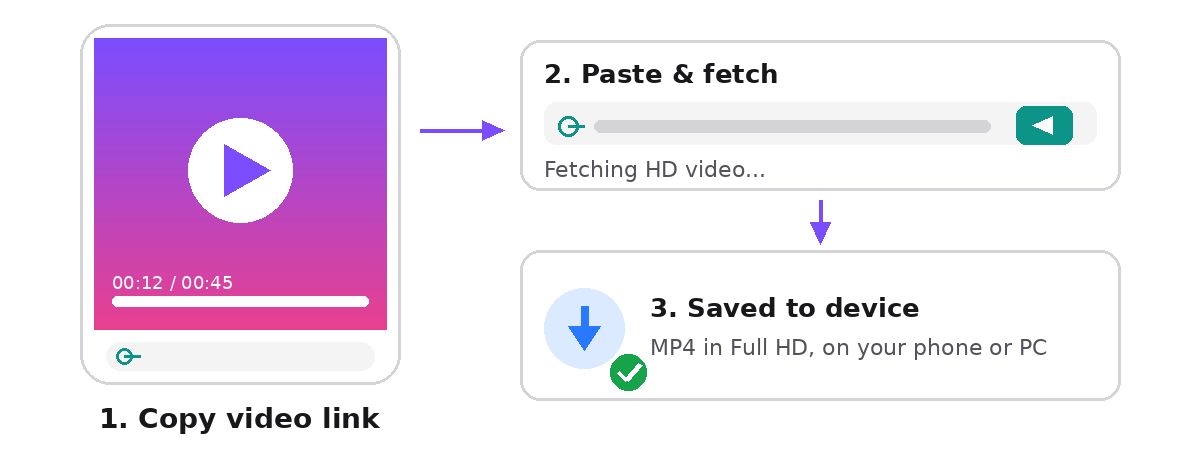
The tool works in your browser on any device — Android, iPhone, PC or Mac — and our free Android app is coming soon to Google Play. You never need to share your Instagram password.
Only public posts can be downloaded. If a post is private, or the account is private, the tool cannot fetch it. Stories are not supported in v1.
Only save posts you have the right to keep. Do not re-upload someone else's work as your own.
Frequently asked questions:
Q: Is it free to download Instagram reels? A: Yes — Finn ReelSave is free, with no limits on how many reels you download.
Q: Do I need to log in to download a reel? A: No. Finn ReelSave works without login or an account, for public posts only.
Q: What quality are the downloaded reels? A: Original quality — up to Full HD when the source is HD.
Q: Can I download reels from private accounts? A: No. Only public reels can be downloaded.
Try the downloader: paste an Instagram link and save the reel in HD — free, no login.